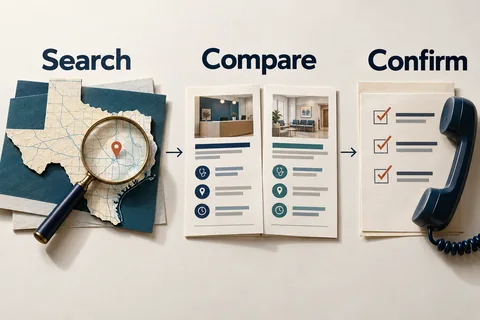
A practice profile brings the business, its offices and its recorded provider connections into one place. Knowing which part of the page you are looking at helps you find the right person and the right location.
Know the difference: practice, provider and office
A practice is the healthcare business or organization. Its profile may include a description, specialties, a website and one or more offices. It may have no individual providers connected in the guide yet, or it may have several.
A provider is an individual healthcare professional. A provider can work independently, connect to one practice or connect to several. Their individual profile keeps their own information together.
An office is a location. A practice's office list and a provider's office list can be different. Use the offices actually recorded on that provider's profile when you are trying to find a particular person.
The illustration above shows two practices connected to the same provider, alongside an independent provider. These are illustrative relationships. A practice page without provider profiles still gives you a way to explore its recorded business details.
Check the office before you contact the practice
Start with the address. If the practice has several offices, choose the one you want to learn about and check its contact details before you open directions.
Useful details to compare include:
- The full street address, including the suite.
- The city and ZIP code.
- The office telephone number, if recorded.
- The specialties or services described for that location.
- Any provider connections recorded for that office.
For example, a practice may show three offices while a particular provider is assigned to only one. Contact the office to ask about that person's schedule before making travel plans.
Use each profile to follow the right path
On a practice page, explore its providers and offices. On an individual provider page, look at that person's practice connections and their own office assignments.
The Visit website link takes you to the practice's or provider's recorded official site. That is where you can explore their own information and follow their contact process.
If an article is associated with a practice or provider, its byline and profile links help you understand that connection. Sources remain with the article so you can explore the material behind it.
Keep a simple comparison note
You do not need a complicated spreadsheet. For each option, write down:
- The practice and provider you are considering.
- The specific office and travel details.
- The service you want to ask about.
- Your unanswered questions.
- What the office told you and when you contacted them.
This keeps a practice-wide description from becoming an assumption about one provider or office.
Help keep the details current
If something looks out of date, use the profile's claim or correction link to contact the team. Practice and provider representatives can confirm their own information through that process.
You can browse profiles without creating a patient account. Explore practices across Texas.